some of these resources i haven't used while making this website specifically, but i've used them before and like what they have to offer and i think you should take them for a spin too. if you have questions about any of these or want me to add something to this list, feel free to reach out and speak your mind.
general inspiration
pinterest i like using pinterest to find screencaps of websites and take inspiration from certain design elements. i also like to look at carrds, rentries, straw pages, etc. just be careful because some people want you to credit them when you take inspiration from them even if you're not directly lifting anything from their website, so always do that when necessary.
web design museum has screenshots from a shit ton of websites, both new and old. and also mobile apps and flash games if you wanna look through those, too. note that these are literal screenshots so you're not gonna have fun if you like to use inspect mode on websites and see how they work, but it's good for if you like to challenge yourself and replicate websites based on UI alone.
awesome graphics
88x31 gif collection if you like old-web style buttons this is genuinely a necessity. owner doesn't want you hotlinking so either host them on your own website or on something like filegarden, but otherwise just go wild. there's so many random buttons that i'm sure you're going to find at least one that you like.
code stuff
mozilla web dev docs i honestly like this more than w3schools. this website offers both just general documentation if you're fine with going off on your own, and then also a step-by-step tutorial on making your first website if you have no idea where to start. i like the fact that it has options instead of automatically assuming that you know nothing, so you can keep it in your pocket as you develop your skills.
font websites
dafont i absolutely love this website. it has comprehensive categories and sorting options while searching, but i do think it could benefit from an ascending/descending option. you can basically find any font that you're looking for on this website, but funny thing is that none of the fonts that i'm currently using on ruinedgirl come from dafont. still, i love it.
flamingtext this one is actually a text as images website instead of a website where you can download fonts, but i'm including it in this section anyways. i mainly used this one back in the deep dark days of rentry before metadata, but the logos you can make with it look sick and i bet you could still find a use for it, even if css is right there. and this is unrelated but if you liked very specific fandoms you might actually recognize what hoard i had on rentry. i absolutely do not maintain it anymore but it's just funny to bring up.
google fonts there's a smaller and less eclectic selection of fonts than dafont, which is why this isn't first in the section, but i do think google fonts is a great place to start looking for fonts specifically because they're more curated here. i'd say google fonts is more useful for body fonts, while dafont is more oriented towards display fonts aka stuff you'd want in a header.
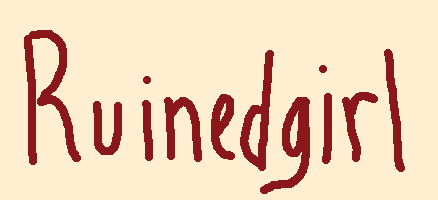
sara's fonts now this is where i got the fonts i used for ruinedgirl. specifically pancake pen for body and girl kisser for headings. the logo up there is handwritten if you couldn't tell. these fonts are more styled after something you'd see in the pages of a modern comic, but i think they're still good handwriting-esque fonts and they're just generally visually appealing.
fontsgeek font equivalent of dumpster diving or going to thrift store bins. what you see is what you get and there's basically no way to get anything better unless you're looking for a very specific font. i found whizbang here, which is the font i used for my warren shrine, so if you look hard enough there are actually good fonts. i'd say just use this if you don't have a specific vision in mind for your website OR if you're trying to find a funky display font.
other tools
ezgif has basically everything you'll need for getting your media up to speed to be used on your website, EXCEPT for removing backgrounds from non-gifs.
paint.net (download) this lets you do anything that you can't do for some reason on ezgif, including removing backgrounds from non-gifs. i actually prefer this to remove.bg just because it won't fuck up the size of your image and force you to pay in order to download the full size version. just use the magic wand and eraser and boom, you're done.